Facebook Ads Manager is Meta's free advertising platform where you create, run, and track ads across Facebook, Instagram, Messenger, and WhatsApp. You can set budgets, choose who sees your ads, and measure how well they perform. Think of it as your command center for all Meta advertising. Whether you run a fashion store or any other business, this tool gives you control over your entire ad strategy from one dashboard.
This guide walks you through everything you need to know about Ads Manager. You'll learn how to log in, navigate the interface, and understand the metrics that matter. We'll cover the essential tools you need to launch your first campaign, plus specific tips for fashion dropshipping stores that want to reach the right customers without wasting money. By the end, you'll know exactly how to set up and manage effective ad campaigns that drive traffic to your store.
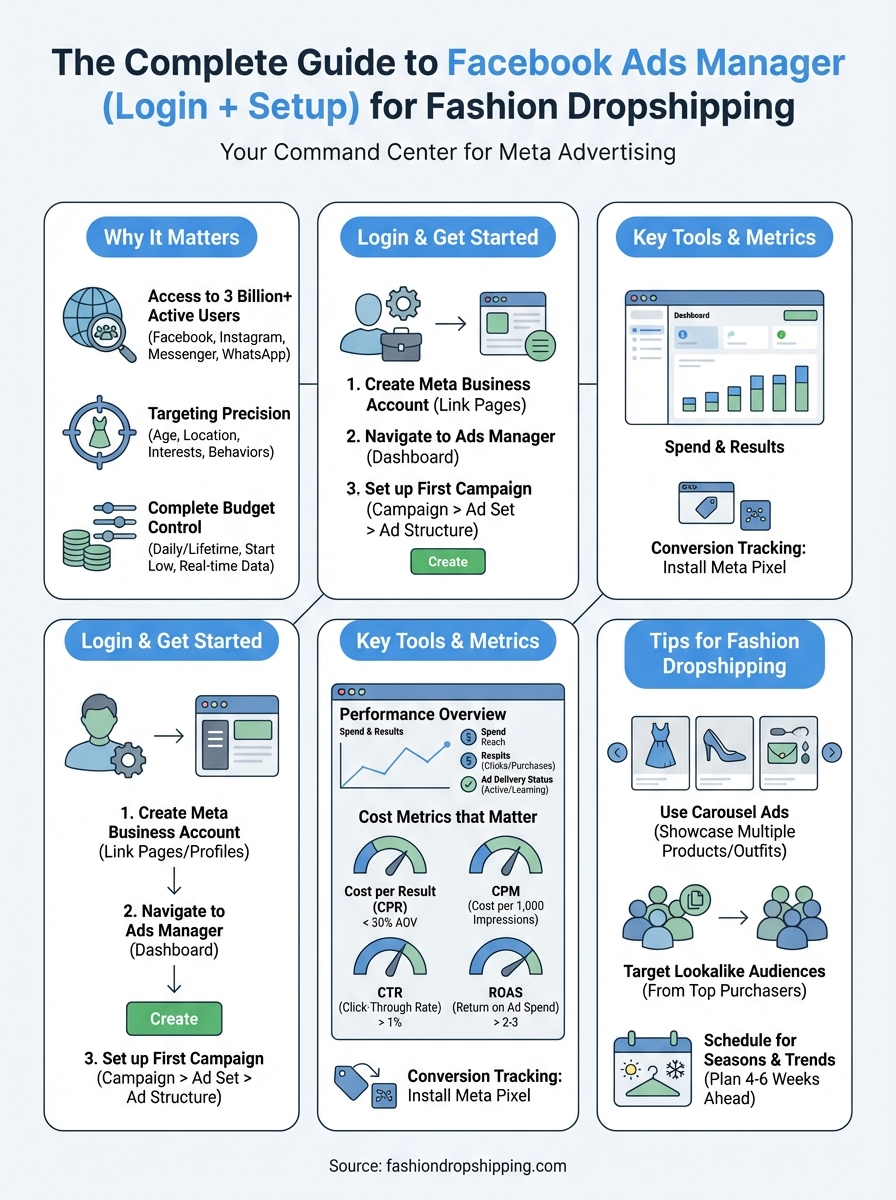
Facebook Ads Manager gives you direct access to over 3 billion active users across Meta's platforms. You can target exactly who sees your ads based on age, location, interests, and behaviors. This precision means your fashion dropshipping store reaches people who actually want your products, not just random internet users. Traditional advertising forces you to cast a wide net and hope for the best. Ads Manager lets you fish where your customers actually swim.
You reach people on Facebook, Instagram, Messenger, and WhatsApp from one dashboard. Your ads appear where your target audience already spends their time scrolling, shopping, and connecting with friends. The platform shows your fashion products to users who recently searched for similar items or engaged with competitor brands. This targeting capability turns casual browsers into paying customers faster than any other advertising method.
The power of Facebook Ads Manager lies in its ability to put your products in front of people who are already looking for what you sell.
You set daily or lifetime budgets starting as low as $1 per day. The system never charges you more than your specified limit, so you avoid surprise bills that drain your startup capital. You pause, adjust, or stop campaigns instantly when they underperform. Real-time data shows exactly how much each click, view, and conversion costs. This transparency helps you calculate profit margins before scaling up successful campaigns.
You need a Facebook account and Meta Business Account to access Ads Manager. The platform requires basic business information like your store name, email address, and payment method. Most fashion dropshipping stores complete the entire setup process in under 15 minutes. Meta verifies your account details before you can run ads, but you can explore the interface and build campaigns while waiting for approval.
Visit business.facebook.com and click the "Create Account" button in the top right corner. You enter your business name (your fashion store's name), your name, and your business email address. Meta asks you to add payment information immediately, but you won't be charged until you launch your first ad. The system accepts credit cards, debit cards, and PayPal for most regions.
Your account dashboard appears after you complete the setup wizard. This central hub connects your Facebook page, Instagram account, and Ads Manager in one place. You link your social media profiles through the Business Settings menu under "Accounts." Each profile requires admin access or ownership verification before Meta allows you to advertise through it.
Link all your social media profiles during initial setup to avoid campaign delays later.
Click the menu icon (three horizontal lines) in your Business Account dashboard and select "Ads Manager" from the dropdown list. You can also go directly to adsmanager.facebook.com and log in with your Facebook credentials. The platform automatically loads your linked business account and shows any existing campaigns or a blank canvas for new users.
The main dashboard displays three core tabs: Campaigns, Ad Sets, and Ads. Campaigns represent your overall advertising goal (like driving traffic to your fashion store). Ad Sets define your target audience, budget, and schedule. Ads contain the actual images, videos, and text that people see. You work through these three levels every time you create new advertisements.
Click the green "Create" button to launch the campaign creation wizard. Meta presents several objective options including Traffic, Engagement, Leads, and Sales. Fashion dropshipping stores typically start with Traffic or Sales objectives since you want people to visit your store and buy products. Select your objective based on whether you prioritize immediate purchases or building an audience first.
The wizard guides you through naming your campaign and setting an optional A/B test. You can test different images, headlines, or target audiences against each other to find what converts best. Skip the A/B test option for your first campaign to keep things simple. Focus on learning the facebook ads manager interface before adding complexity.
You choose between daily budget and lifetime budget in the next step. Daily budgets spend a set amount each day until you pause the campaign. Lifetime budgets distribute your total spend across a specific date range. Start with a daily budget of $5 to $10 while you learn which ads perform well. You can always increase spending once you identify winning combinations that generate profitable sales.
Facebook Ads Manager tracks dozens of metrics, but you only need to focus on five to seven core numbers when you start. The dashboard displays performance data in real time, updating as people see and interact with your ads. You can view results by campaign, ad set, or individual ad to identify what works and what wastes money. Every metric connects directly to your business goal, whether that's getting store visits, generating sales, or building brand awareness for your fashion products.
The Campaigns tab shows your highest-level performance data including total spend, reach, and results. You see how many people your ads reached and how many took the action you wanted (clicks, purchases, or sign-ups). The results column changes based on your campaign objective. Traffic campaigns show link clicks, while Sales campaigns display purchases and revenue. This top-level view helps you quickly identify which campaigns deserve more budget and which ones to pause.
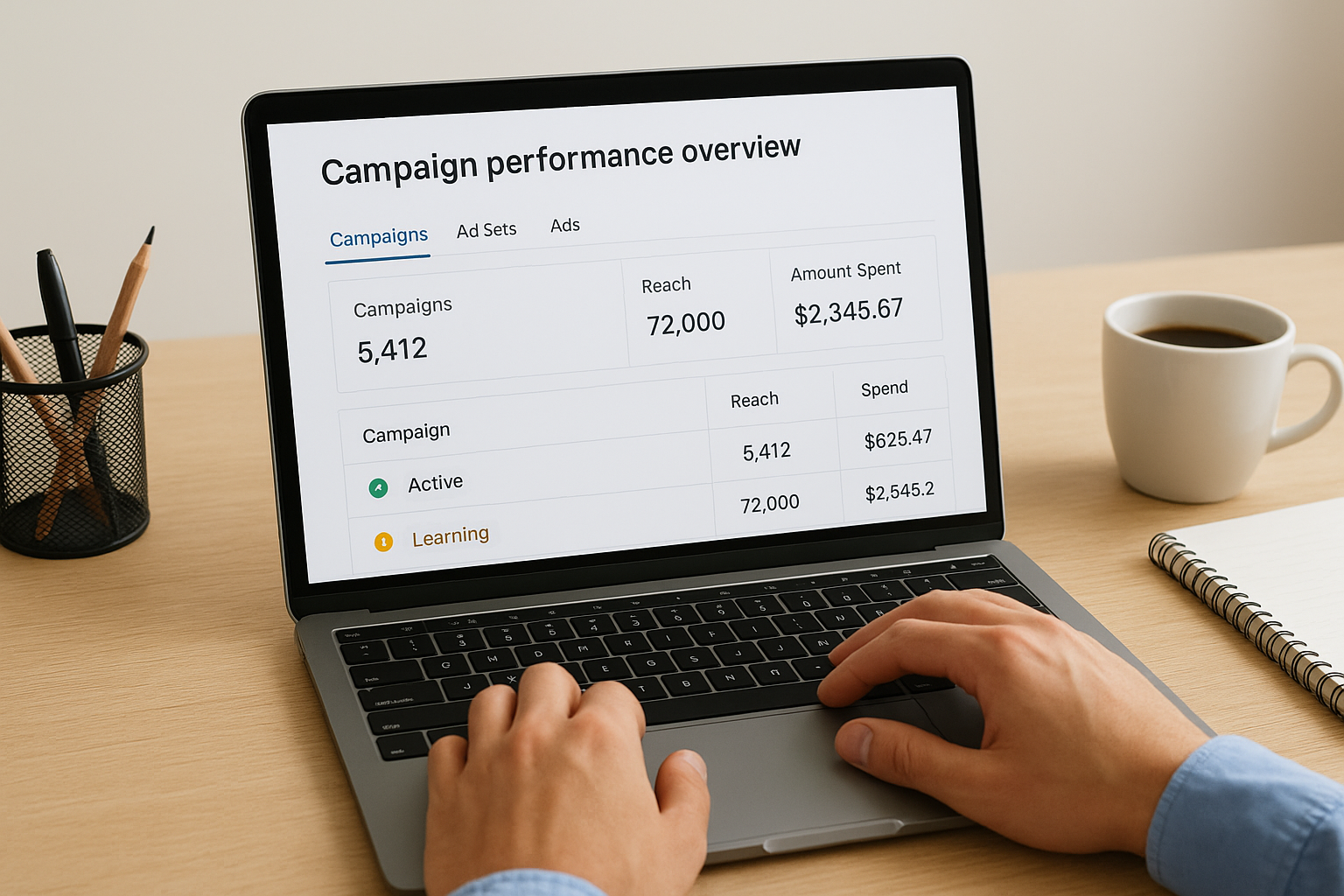
Your ad delivery status appears next to each campaign name using labels like "Active," "Learning," or "Not Delivering." Active means your ads are running normally and reaching people. Learning indicates the system is still gathering data to optimize performance (this typically lasts 24 to 48 hours). Not Delivering means something blocks your campaign, like payment issues or policy violations. You click on any status label to see detailed explanations and recommended fixes.
Cost per result tells you how much you spend to achieve your campaign objective. A Traffic campaign shows cost per link click, while a Sales campaign displays cost per purchase. This single number determines whether your ads are profitable or losing money. Fashion dropshipping stores typically aim for a cost per purchase below 30% of their average order value to maintain healthy profit margins after product costs and platform fees.
Cost per thousand impressions (CPM) measures how much you pay to show your ad 1,000 times. Lower CPMs mean you reach more people with the same budget. Fashion ads typically see CPMs between $5 and $15 depending on your target audience and competition level. You can't directly control CPM, but better ad creative and more relevant targeting usually reduces this cost over time.
Track your cost per result daily to catch underperforming ads before they drain your entire budget.
Click-through rate (CTR) shows the percentage of people who see your ad and actually click it. A CTR above 1% indicates your creative resonates with your target audience. Anything below 0.5% suggests your images, headlines, or targeting need adjustment. High CTRs reduce your overall costs because facebook ads manager rewards ads that people engage with by showing them to more users at lower prices.
The Reach metric counts how many unique people saw your ad at least once. You want high reach when building brand awareness, but focused reach matters more for direct sales campaigns. Your reach grows as the algorithm finds new people who match your targeting criteria. Stagnant reach numbers after a few days signal that you've exhausted your target audience and need to expand your parameters or refresh your creative.
Frequency measures how many times the average person sees your ad. Ideal frequency stays between 1.5 and 3 for most campaigns. Frequencies above 4 indicate ad fatigue, where people see your content too often and start ignoring it. You combat high frequency by adding new ad variations, expanding your audience, or pausing the campaign temporarily. Fresh creative keeps your audience engaged and prevents wasted impressions.
The Conversions column shows completed actions on your website like purchases, add-to-carts, or sign-ups. You must install the Meta Pixel on your Shopify store before this data appears in your dashboard. The pixel tracks visitor behavior and connects it back to specific ads. Without pixel tracking, you see clicks but never know which ads actually generate sales. Most fashion dropshipping stores install the pixel through a simple app integration that requires no coding knowledge.
Return on ad spend (ROAS) calculates how much revenue you generate for every dollar spent on ads. A ROAS of 3 means you earn $3 for every $1 spent on advertising. Profitable campaigns typically need a ROAS above 2 after accounting for product costs, shipping, and platform fees. You calculate target ROAS by dividing your desired profit margin by your ad spend percentage.
Fashion products sell on visual appeal, so your facebook ads manager strategy needs to prioritize high-quality images and videos over everything else. Your target audience scrolls past hundreds of posts daily, and only compelling product photography stops them mid-scroll. The platform favors ads that generate engagement, meaning better creative directly reduces your costs while increasing sales. These tips help you maximize results specifically for fashion dropshipping businesses.
Carousel ads let you display up to 10 images or videos in a single ad unit that users swipe through. Fashion stores use this format to show different angles of one product, multiple color options, or complementary items that create a complete outfit. You can link each carousel card to a different product page on your store, giving customers more purchasing options without increasing your ad spend. This format typically generates 30-50% more clicks than single-image ads for fashion products.
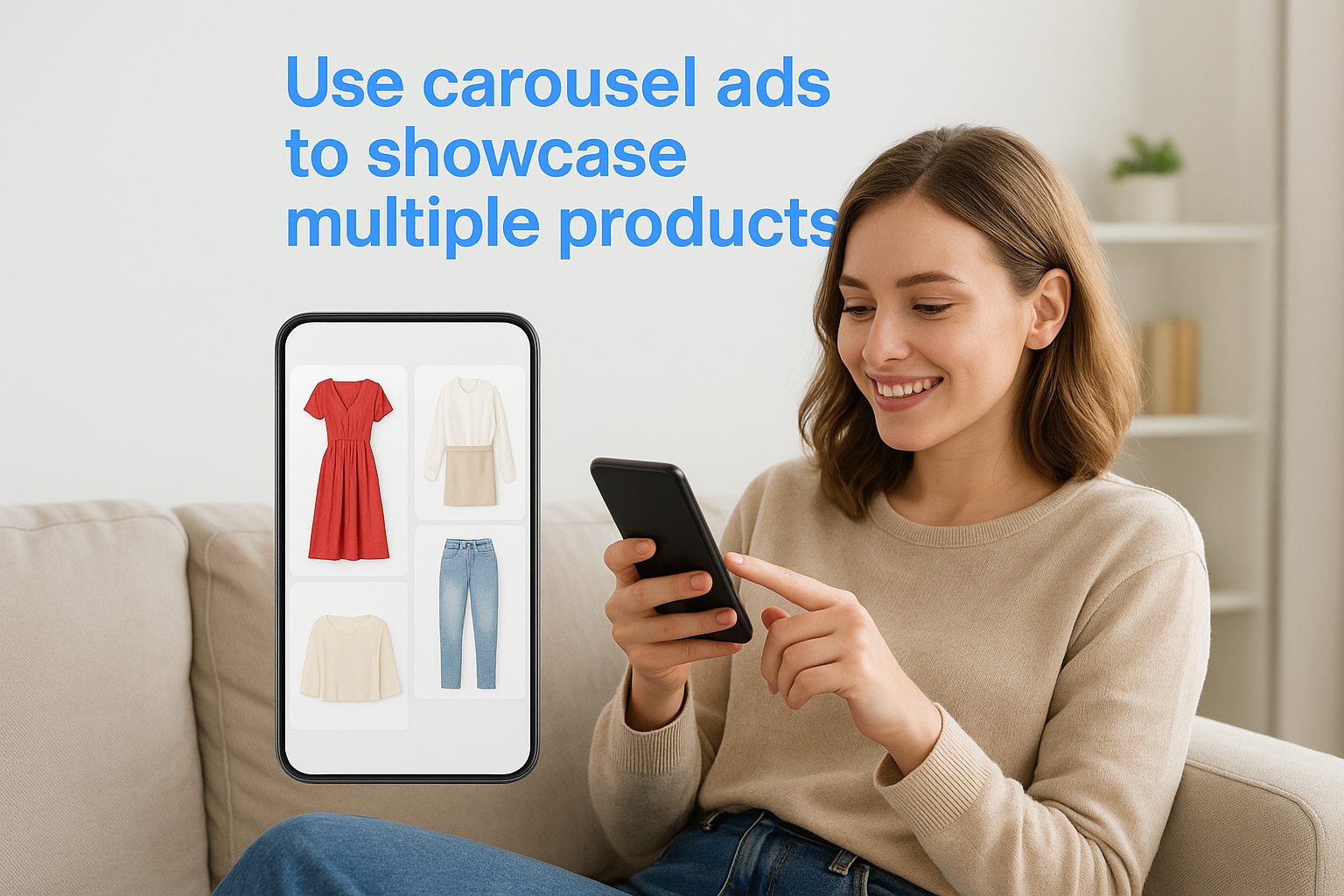
Create carousels that tell a story or demonstrate styling options. Your first card grabs attention with your best-selling item, while subsequent cards show how customers can wear or style the product. Include clear product shots on white backgrounds mixed with lifestyle images that show real people wearing your items. This combination builds trust and helps shoppers visualize themselves in your products.
Carousel ads give fashion dropshippers the highest return on ad spend because they showcase product variety without multiple campaign costs.
Lookalike audiences find new people who share characteristics with your existing customers. You upload a list of your top 100 to 500 purchasers to facebook ads manager, and the system identifies millions of similar users. These audiences convert better than cold targeting because they already exhibit buying behaviors and interests that match your customer base. Start with a 1% lookalike audience (the most similar users) before expanding to 2% or 3% as you scale.
Source your seed audience from customers who made multiple purchases or high-value orders rather than just anyone who bought once. Quality matters more than quantity when building lookalakes. You can also create lookalike audiences from your Instagram followers or Facebook page engagers if you lack sufficient purchase data. The algorithm needs at least 100 people in your source audience to generate meaningful lookalikes.
Fashion demand fluctuates dramatically based on seasons, holidays, and trending styles. You schedule campaigns to start 4 to 6 weeks before major shopping periods like back-to-school, holiday season, or summer vacation. Early scheduling captures customers while they research and plan purchases, not just when they're ready to buy. Your ads gain momentum and lower costs as the algorithm learns which audiences convert best.
Monitor trending fashion keywords and styles through Google Trends to identify what your target audience searches for right now. You adjust your ad creative and product selection to match these trends before they peak. Summer dress campaigns launch in April and May, while winter coat ads start in September. This proactive approach puts your products in front of shoppers exactly when they want them, dramatically improving conversion rates and reducing wasted ad spend on out-of-season items.
Budget allocation follows seasonal patterns too. You spend 60 to 70% of your annual ad budget during Q4 (October through December) when fashion purchases peak during holiday shopping. The remaining budget spreads across other quarters with increased spending during your specific niche's high seasons. Athletic wear stores increase budgets in January during New Year fitness resolutions, while formal wear brands spend more before prom and wedding seasons.
You now understand how facebook ads manager works and how to launch campaigns that drive traffic to your fashion store. The platform gives you control over targeting, budgets, and performance tracking from a single dashboard. Your success depends on testing different audiences, analyzing metrics daily, and adjusting based on what converts.
Ready to put this knowledge into action? Start your fashion dropshipping store with a free Shopify trial and begin running ads within days. You get access to professional themes, payment processing, and integration with suppliers like Trendsi. Launch your store, install the Meta Pixel, and start testing small campaigns that grow into profitable advertising systems.

 Open FREE Shopify Account