TikTok Ads Manager is the platform where you create, launch, and manage your advertising campaigns on TikTok. You log in through ads.tiktok.com to access your dashboard, build ad campaigns, set budgets, choose your target audience, and track how your ads perform. Think of it as your control center for everything related to TikTok advertising. Whether you run a fashion store, sell products through dropshipping, or promote services, this is where you handle the entire process from start to finish.
This guide walks you through everything you need to know about TikTok Ads Manager. You'll learn how to sign up for a new account or log in if you already have one. We'll show you the key features and tools you can use to build effective campaigns. You'll get practical tips for optimizing your first ads, plus solutions to common problems users face. By the end, you'll understand exactly how to navigate the platform and start advertising your business on TikTok.
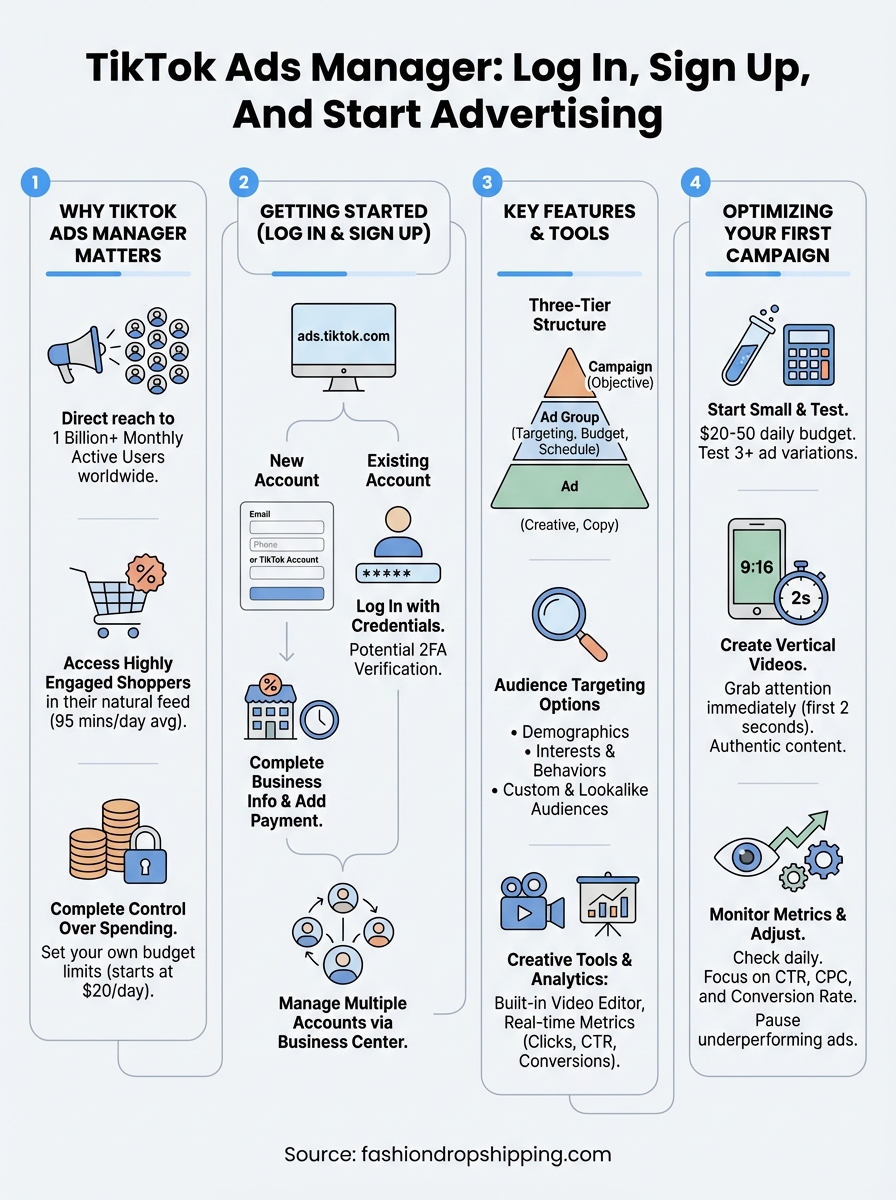
You need a direct way to reach potential customers where they spend hours scrolling, engaging, and making purchase decisions. TikTok Ads Manager gives you access to a massive audience that traditional advertising channels can't match. The platform reaches over 1 billion monthly active users worldwide, and these users actively discover new products and brands while browsing their feeds. When you advertise through TikTok Ads Manager, you place your business in front of people who are ready to engage with content that entertains and informs them.
Your ads appear directly in users' feeds, mixed seamlessly with the content they already watch. This placement means people see your products in a natural context instead of feeling interrupted by obvious advertisements. TikTok users spend an average of 95 minutes per day on the platform, giving your business multiple opportunities to make an impression. The audience skews younger, with significant purchasing power and a strong tendency to buy products they discover through social media.
The platform's algorithm shows your ads to users most likely to care about what you sell, based on their viewing habits and interests.
TikTok Ads Manager lets you set your own budget limits at the campaign level, so you never spend more than intended. You can start with as little as $20 per day for most campaign types, making it accessible even if you run a small business or just started dropshipping. The platform charges you based on specific actions like clicks, impressions, or conversions, giving you full transparency about where your money goes. You can pause, adjust, or stop campaigns anytime without penalties or long-term commitments.
You access TikTok Ads Manager through ads.tiktok.com, where both new users and existing advertisers manage their accounts. The platform separates into two distinct processes: signing up for a brand new account or logging into an account you already created. Both processes take just a few minutes to complete, and you can start building campaigns immediately after you finish setting up your business profile.
You start the sign-up process by visiting ads.tiktok.com/i18n/signup and choosing your registration method. The platform lets you create an account using your email address, phone number, or an existing TikTok personal account. Most business owners choose email registration because it keeps their business advertising separate from any personal TikTok use they might have. After you enter your basic information and create a password, you'll verify your account through a code sent to your email or phone.
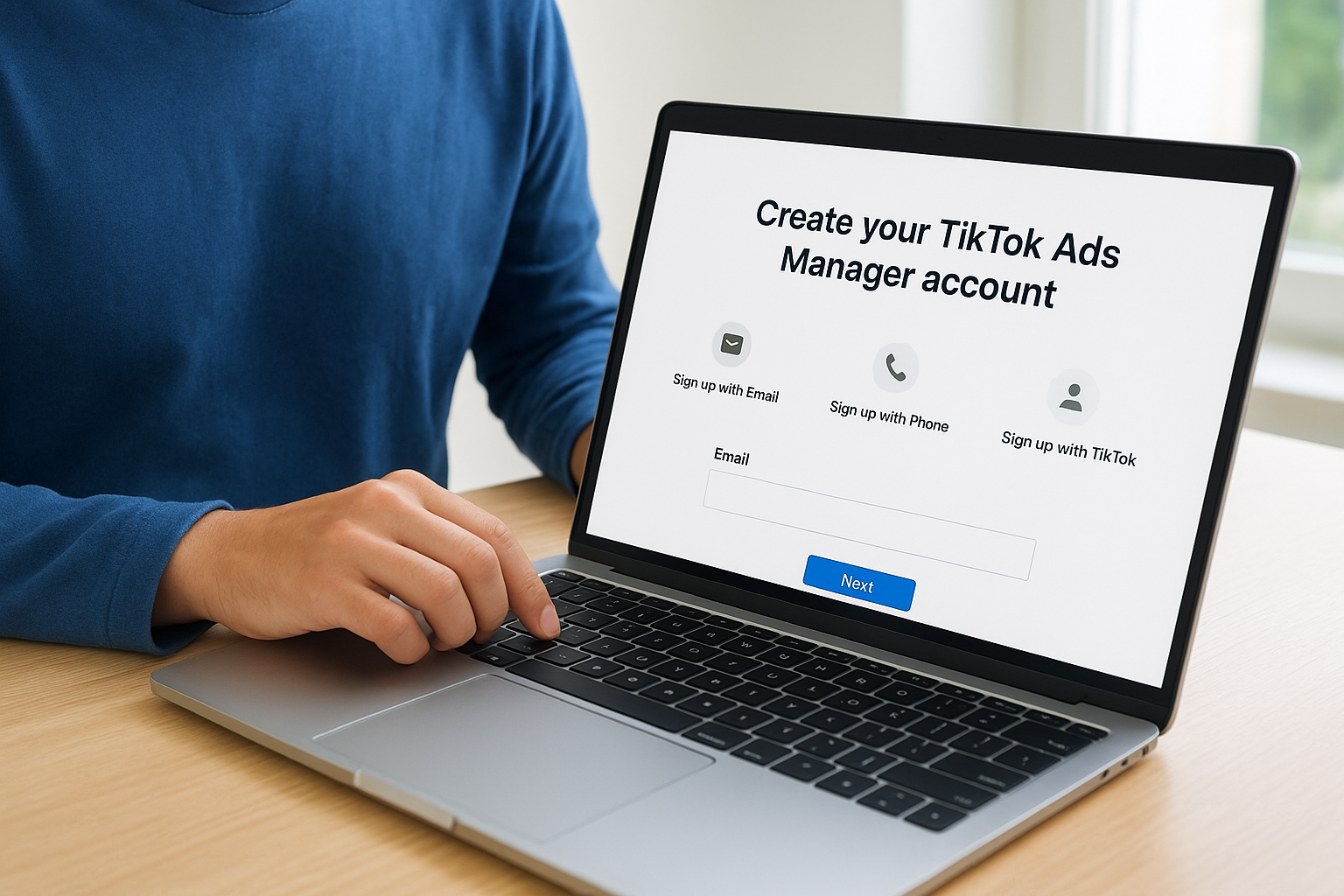
The next step requires you to fill out your business information form, where you provide details about your company, industry, time zone, and currency preferences. This information determines how TikTok Ads Manager displays your data and processes your payments. You'll also need to select whether you represent a brand, agency, or individual advertiser. Once you submit this information, the platform asks you to add a payment method before you can launch any campaigns, though you won't be charged until your ads start running.
Setting up your payment method during registration saves time later when you're ready to launch your first campaign.
Your login portal sits at ads.tiktok.com/i18n/login, where you enter the credentials you used during registration. You can log in with the same method you chose when signing up, whether that was email, phone number, or TikTok account. The system remembers your previous login method and usually pre-fills that option when you return to the page.
After you enter your credentials, the platform may require two-factor authentication if you enabled this security feature. You'll receive a verification code through your chosen method, which adds an extra layer of protection to your account. This step protects your advertising budget and campaign data from unauthorized access.
You might need to manage several TikTok Ads Manager accounts if you run multiple businesses or handle advertising for different clients. The platform allows you to link multiple accounts to a single login through Business Center, their centralized management tool. You switch between accounts through a dropdown menu in the top right corner of your dashboard after logging in. This setup eliminates the need to log out and back in repeatedly when you oversee campaigns for different businesses.
TikTok Ads Manager gives you a comprehensive set of tools to build, launch, and monitor your advertising campaigns. The platform organizes everything through a three-tier structure: campaigns at the top level, ad groups in the middle, and individual ads at the bottom. This hierarchy lets you test different approaches while maintaining clear organization across your advertising efforts. You'll find all your tools and features accessible through the main dashboard once you log in.
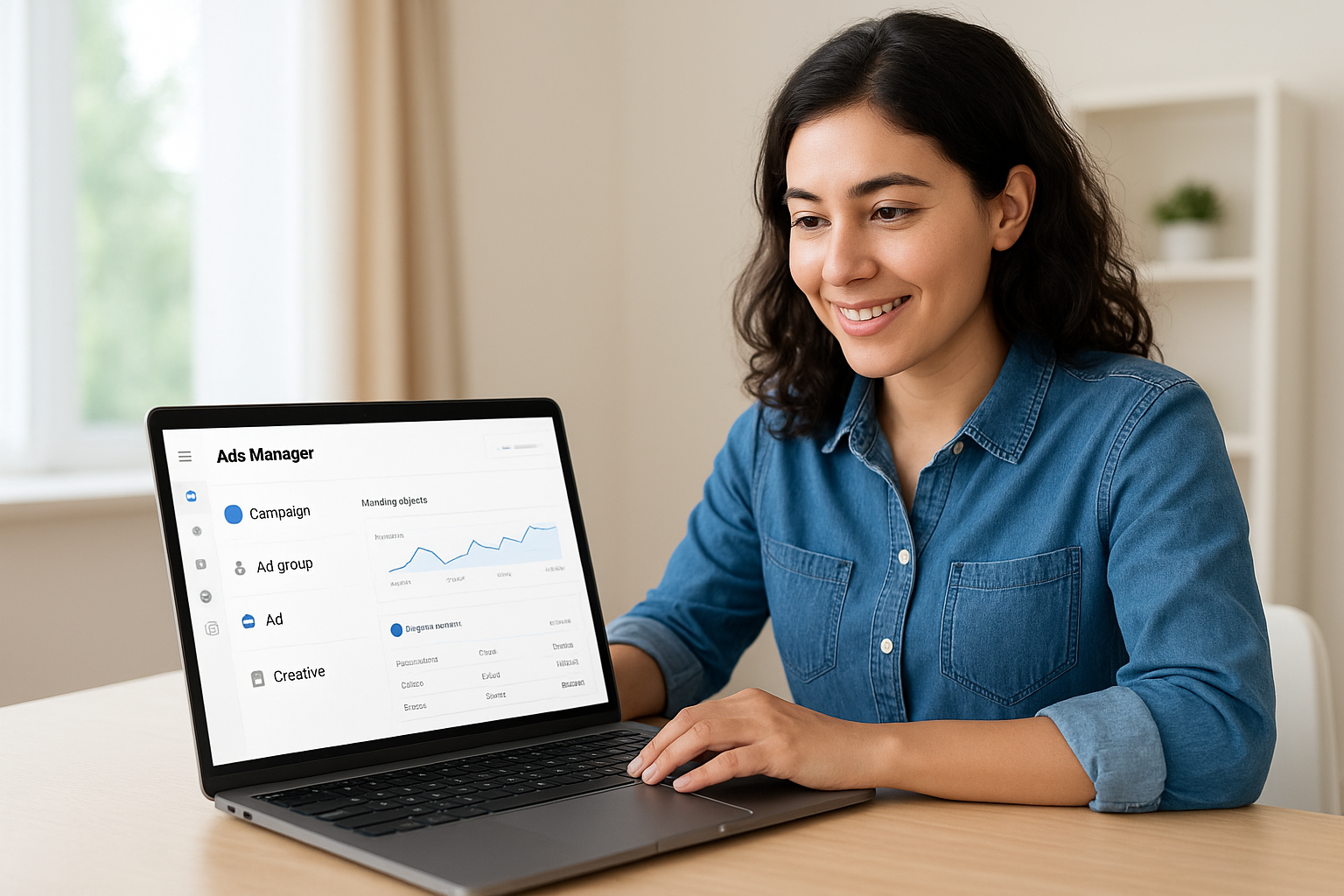
Your campaigns sit at the highest level, where you choose your advertising objective based on what you want to achieve. TikTok Ads Manager offers objectives like traffic, conversions, video views, app installs, and lead generation. Each objective tells the platform how to optimize your ads and which users to prioritize. Within each campaign, you create ad groups that define your targeting parameters, budget allocation, schedule, and bidding strategy. This structure allows you to run multiple ad groups with different audience segments under a single campaign, making it easy to compare which audiences respond best to your products.
Individual ads live inside your ad groups, where you upload your creative content and write your ad copy. You can run several different ad variations within one ad group to test which combinations of video, text, and call-to-action buttons generate the best results. The platform shows you performance data for each level, so you see which campaigns, ad groups, and specific ads drive the most value for your business.
TikTok Ads Manager provides extensive targeting controls that help you reach exactly the right customers. You can target users based on demographics like age, gender, location, and language, narrowing your audience to match your ideal customer profile. The platform also offers interest-based targeting, where you select categories that align with what your audience cares about, such as fashion, beauty, fitness, or technology.
Behavioral targeting takes this further by letting you reach users based on their actions on TikTok, including the types of videos they watch, the accounts they follow, and how they engage with content. You can also create custom audiences by uploading your own customer lists or retarget people who previously visited your website. Lookalike audiences help you find new customers who share characteristics with your best existing customers, expanding your reach to qualified prospects.
The platform includes a built-in video editor that lets you trim clips, add text overlays, insert music, and apply effects directly within TikTok Ads Manager. This tool saves you time because you don't need separate video editing software to prepare your ad content. You can also access TikTok's commercial music library to add soundtracks that match your brand without copyright concerns.
Your analytics dashboard shows real-time performance data for every campaign you run. You track key metrics like impressions, clicks, click-through rate, conversions, cost per result, and return on ad spend. The reporting tools let you customize your view to focus on the metrics that matter most for your business goals. You can export this data to analyze trends over time or share results with team members who need visibility into campaign performance.
The combination of targeting precision and real-time analytics gives you full control over who sees your ads and how effectively they convert.
Your first campaigns on TikTok Ads Manager require a strategic approach that balances creativity with data-driven decisions. You want to maximize your results while learning what works best for your specific business and audience. The following tips help you avoid common mistakes and get strong performance from the start. Apply these strategies as you build your initial campaigns, then refine your approach based on the results you see in your dashboard.
You should begin with modest daily budgets between $20 and $50 per ad group to gather performance data without risking significant money. This approach lets you test different audience segments, creative formats, and messaging angles before you scale up your spending. Create at least three different ad variations within each ad group, changing elements like your opening hook, product showcase angle, or call-to-action to identify which combinations resonate most with your target audience.
Testing reveals patterns that single ads never show. You might discover that videos showing your products in use outperform static product shots, or that younger audiences respond better to certain messaging than older segments. The data you collect during your testing phase guides every decision you make as you expand your campaigns.
Small initial investments give you the insights you need to spend confidently on scaling successful campaigns later.
Your ads need to capture viewers within the first two seconds because TikTok users scroll quickly past content that doesn't interest them. You achieve this by opening with a striking visual, unexpected statement, or compelling question that stops the scroll. Keep your videos vertical at 9:16 aspect ratio to fill the entire mobile screen, since most TikTok browsing happens on smartphones.

Authentic content performs better than overly polished advertisements on this platform. Show real people using your products, demonstrate practical benefits, or tell brief stories that connect emotionally with viewers. Avoid corporate-style production that feels out of place among user-generated content. Your ads should blend naturally into the feed while still highlighting what makes your products valuable.
You need to check your TikTok Ads Manager dashboard at least daily during your first week to catch issues early and capitalize on winning combinations. Focus on click-through rate, cost per click, and conversion rate as your primary indicators of campaign health. If an ad group shows a high click-through rate but low conversions, your landing page might need improvement. Low click-through rates signal that your creative content needs adjustment or your audience targeting misses the mark.
Pause underperforming ads after they've received enough impressions to generate meaningful data, typically around 1,000 to 2,000 impressions. Shift that budget to your top performers to maximize your return on investment. This continuous optimization process separates successful advertisers from those who waste money on campaigns that never deliver results.
You'll encounter some technical problems while using TikTok Ads Manager, especially during your first few campaigns. Most issues have straightforward solutions that you can implement yourself without contacting support. Understanding these common problems and their fixes saves you time and prevents interruptions to your advertising efforts. The platform experiences occasional glitches like any software tool, but knowing how to respond keeps your campaigns running smoothly.
Your login credentials might fail to work even when you enter them correctly, usually because of browser cache issues or expired sessions. Clear your browser cookies and cache completely, then restart your browser before attempting to log in again. You can also try using a different browser or switching to incognito mode to bypass cache problems. If two-factor authentication codes aren't arriving, check your spam folder and verify that your contact information in account settings matches where you expect to receive codes.
Account suspension notifications appear when TikTok detects policy violations or unusual activity on your account. Review the email explaining the suspension reason, correct any violations in your ads or landing pages, then submit an appeal through the Business Center. Most suspensions related to minor policy misunderstandings get resolved within 24 to 48 hours after you address the specific issues.
Payment failures happen when your credit card expires, reaches its limit, or gets declined by your bank for suspicious activity. Update your payment method in the billing section immediately when you see payment errors. Contact your bank to confirm they aren't blocking TikTok charges, as some financial institutions flag international advertising platforms as potential fraud risks.
Always keep a backup payment method on file to prevent campaign interruptions when your primary card fails.
Budget discrepancies between what you set and what you spend typically result from campaign settings allowing TikTok to exceed daily budgets by up to 20% to maximize delivery. You can adjust this in your campaign settings by selecting stricter budget controls if you need exact spending limits.
You now have everything you need to start advertising on TikTok Ads Manager. Your first move should be creating your account at ads.tiktok.com and completing your business profile. Set aside $100 to $200 for your initial testing budget, which gives you enough data to identify what works without significant financial risk. Build three to five video ads that showcase your products authentically, then launch your first campaign with tight audience targeting.
If you're looking for products to advertise, consider starting a fashion dropshipping business that requires no upfront inventory investment. You can launch a free AI-powered fashion store and use TikTok Ads Manager to drive targeted traffic to your new online business. This combination gives you a complete business model: a store filled with trending fashion products and a proven advertising platform to reach customers who want to buy them.

 Open FREE Shopify Account