
The Shopify App Store is your official marketplace for adding features and tools to your Shopify store. Think of it as an app store for your phone, but built specifically for e-commerce. You can browse thousands of apps that handle everything from email marketing and inventory management to product reviews and shipping automation. Each app plugs directly into your store without requiring coding skills.
This guide walks you through everything you need to know about the Shopify App Store. You'll learn why apps matter for your business, how to find and install them correctly, which categories you should explore first, and how to spot quality apps that won't slow down your store. We'll also cover specific recommendations for fashion stores and share best practices that protect your store while maximizing what these tools can do for you.
Your store needs apps because built-in Shopify features cover only the basics. The Shopify App Store extends what your store can do without requiring custom coding or expensive developers. Apps handle everything from automated marketing campaigns to advanced inventory management, turning your basic store into a specialized tool built for your business model.
Adding features through apps saves you thousands compared to custom development. A professional email marketing tool might cost $20 per month as an app, while building the same system from scratch could run $5,000 or more. Apps install in minutes and update automatically, so you avoid ongoing maintenance costs. Your time stays focused on selling products instead of managing technical infrastructure.
Apps transform your store from a generic template into a competitive business machine.
The marketplace also protects your investment. Each app goes through Shopify's approval process before it reaches the store, filtering out poorly built or unsafe software. You can read verified merchant reviews, compare similar solutions side by side, and switch apps when your needs change. This flexibility means you're never locked into a single vendor or forced to keep paying for features you've outgrown.
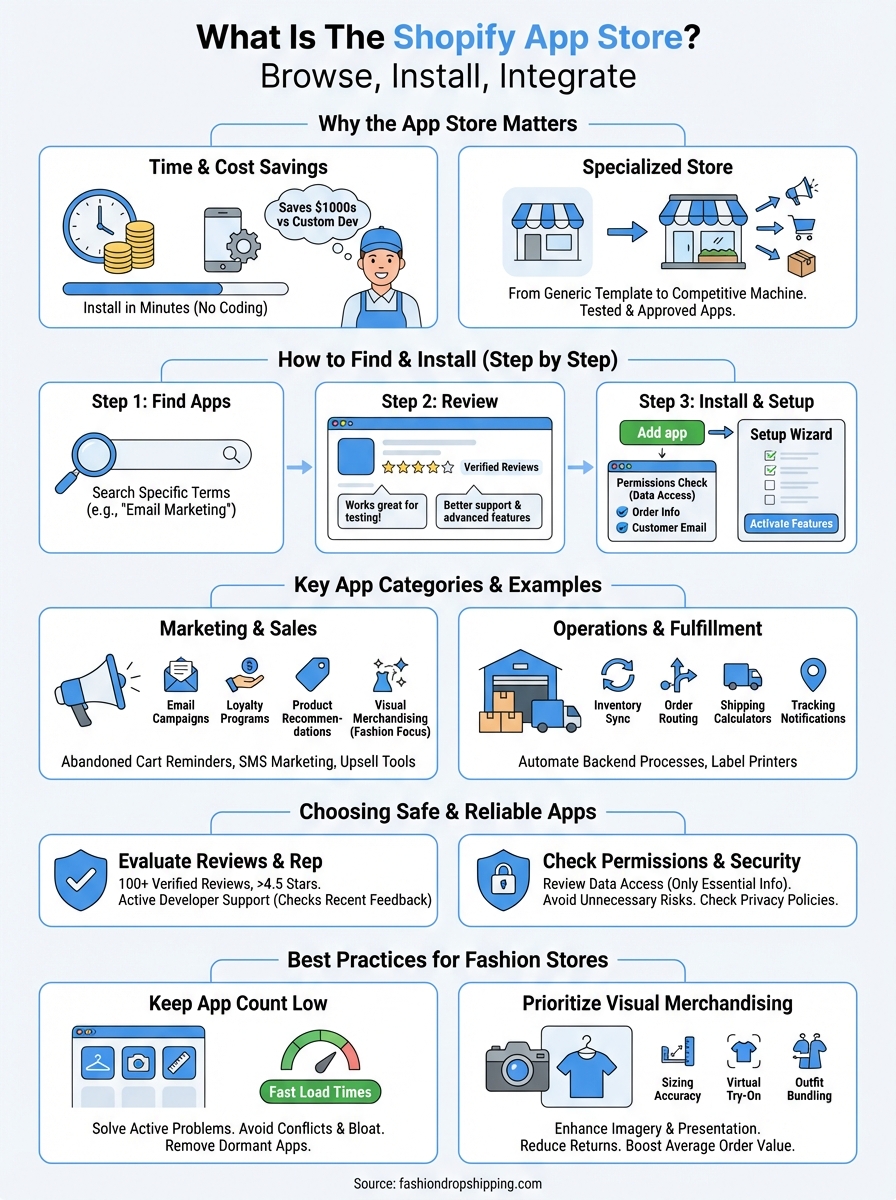
You access the Shopify app store through your admin dashboard or by visiting apps.shopify.com directly. The process takes less than five minutes from search to activation. Each installation follows the same pattern regardless of which app you choose, making it easy to add multiple tools as your business grows.
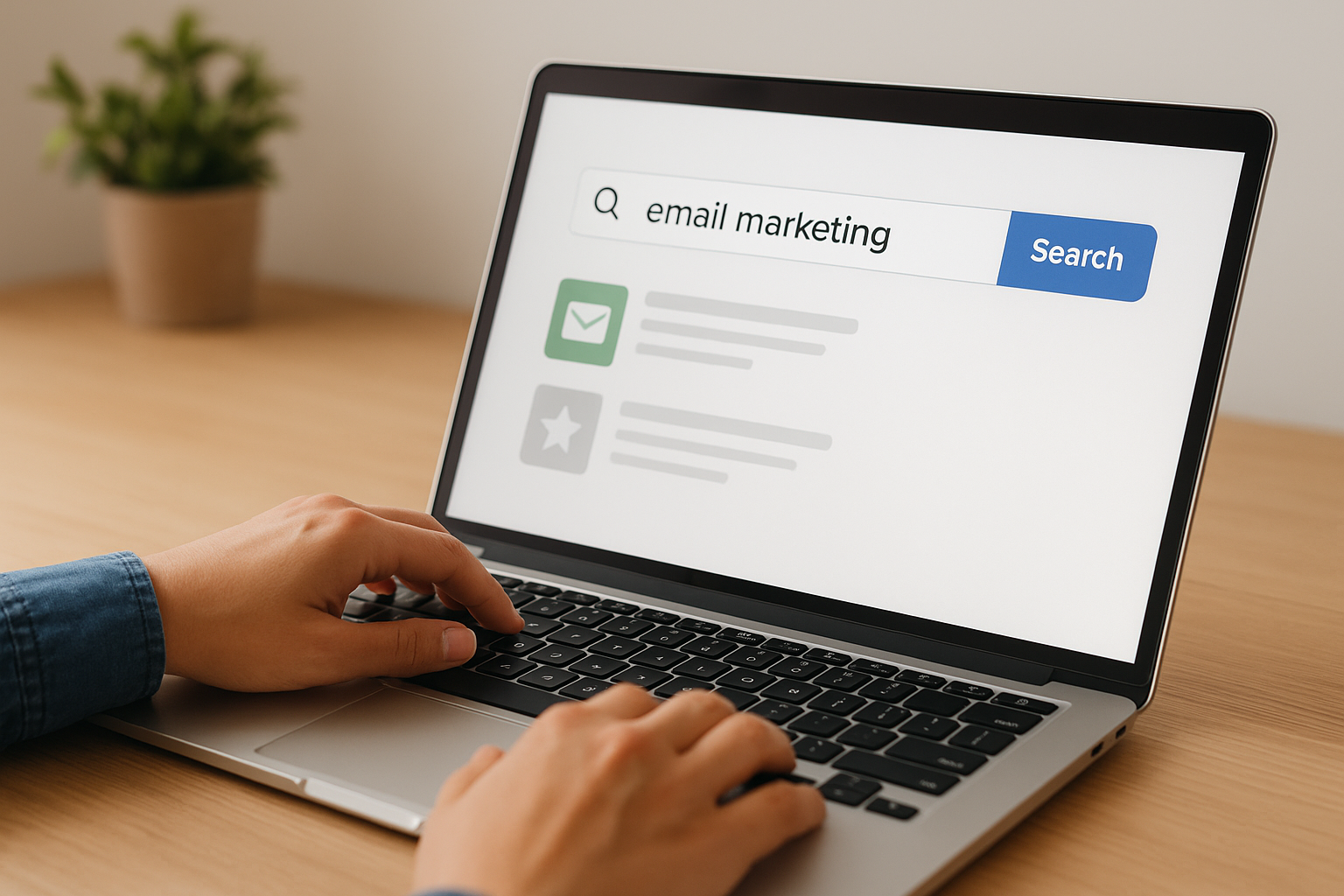
Start by typing what you need into the search bar at the top of the store. Use specific terms like "email marketing" or "product reviews" instead of vague phrases. The store shows you relevant results ranked by popularity and merchant ratings. You can filter by pricing model, category, or features to narrow down your options quickly.
Browse the app listing page carefully before installing anything. Check the total review count, read recent feedback from merchants, and look at the pricing structure. Free apps work great for testing features, while paid options often include better support and advanced capabilities.
The best apps solve one specific problem extremely well instead of trying to do everything.
Click the green "Add app" button on any listing page. Shopify opens a new window showing you exactly what permissions the app needs to function. Read through these carefully because some apps access customer data or order information. Hit "Install app" to confirm and the system adds it to your store automatically.
Most apps redirect you to a setup wizard after installation. Follow the prompts to configure basic settings, connect accounts if needed, and activate the features you want. You can always adjust these settings later through the Apps section in your admin dashboard.
The Shopify app store organizes thousands of apps into clear categories that match how you run your business. Each section groups similar tools together, making it faster to find solutions for specific challenges. Understanding these main categories helps you prioritize which features to add first based on your current growth stage and operational bottlenecks.
Marketing apps handle everything from email campaigns to social media advertising and customer loyalty programs. These tools help you attract new customers and encourage repeat purchases without manual effort. Popular options include email automation platforms that send abandoned cart reminders, SMS marketing tools for time-sensitive promotions, and referral programs that turn existing customers into brand advocates.

Sales apps focus on conversion optimization and revenue growth. You'll find product recommendation engines, upsell and cross-sell tools, discount code generators, and checkout customizers in this category. Fashion stores particularly benefit from visual merchandising apps that showcase outfit combinations or size recommendation tools that reduce returns.
The right marketing apps can automate your entire customer journey from first visit to repeat purchase.
Operations apps streamline your backend processes and daily workflows. Inventory management tools sync stock levels across multiple sales channels, while order routing apps automatically send purchases to the correct warehouse or supplier. Shipping calculators, label printers, and tracking notification systems all fall into this category, saving you hours of manual data entry each week.
Not every app in the Shopify app store deserves a place in your tech stack. Bad apps slow down your site, create security vulnerabilities, or charge ongoing fees without delivering real value. You need a filtering system that separates quality tools from rushed products before you install anything. The wrong app choice costs you time, money, and potentially customer trust if it breaks your checkout or leaks data.
Start with apps that have at least 100 verified reviews and maintain a rating above 4.5 stars. Read recent feedback from the past three months instead of just looking at the overall score, because developer quality changes over time. Check if the developer responds to negative reviews professionally and fixes reported bugs quickly. Companies that ignore customer complaints usually abandon their apps within a year.

Apps with consistent updates and active support indicate developers who will stick around long term.
Review exactly what data access each app requests during installation. Marketing tools need customer email addresses, but inventory apps shouldn't require access to payment information. Apps that request unnecessary permissions represent potential security risks to your business. Look for developers who publish privacy policies and clearly explain how they protect merchant data. You can always remove apps later if they change their terms or stop meeting your security standards.
Fashion stores need different apps than general retailers because visual presentation and sizing accuracy directly impact conversion rates. The Shopify App Store contains hundreds of fashion-specific tools, but installing too many creates technical problems that hurt your business more than they help.
Install only apps that solve active problems in your store right now. Each additional app adds code to your site, which slows down page load times and creates conflicts between different software. Start with three to five essential apps covering marketing, product display, and customer service, then add more only when you identify specific gaps.
More apps don't equal more sales; the right apps in the right combination drive results.
Remove apps you installed during testing but never configured. These dormant apps still run background processes that consume resources. Check your app performance monthly and uninstall anything that impacts load times without delivering measurable value.
Your first apps should enhance product imagery and presentation because fashion customers buy based on how products look. Size recommendation tools reduce returns by helping customers choose correctly the first time. Outfit bundling apps increase average order value by suggesting complete looks instead of single items. Virtual try-on technology and 360-degree viewers build confidence in purchase decisions, especially for higher-priced items.
You now understand how the Shopify app store works and which categories matter most for building a successful fashion business. Start by installing two or three essential apps that solve your biggest operational challenges right now, whether that's email marketing, inventory management, or product display. Test each app for at least two weeks before adding more, giving you time to measure their impact on conversion rates and site performance.
Your store needs a solid foundation before apps can deliver results. Start your free Shopify trial to build that foundation with a platform designed specifically for e-commerce. Focus on getting your first products live, then layer in apps strategically as you identify specific needs through real customer data. This approach keeps your store fast, manageable, and optimized for growth without the technical bloat that kills conversions.

 Open FREE Shopify Account